

Losing important data due to a damaged memory card can be a stressful and frustrating experience. Whether it’s precious photos, important documents, or vital business data, a malfunctioning SD card can seem like an irreparable problem. But there are ways to recover your lost data and repair a damaged memory card—regardless of the manufacturer or card model. In this article, we’ll explore the common causes of memory card failure, how to repair your card, and the best ways to recover lost data.
Understanding Why Memory Cards Fail
Memory cards, like any other electronic device, can fail for a variety of reasons. The failure of a memory card can occur suddenly, or it may show signs of problems over time. The primary causes of failure include:
-
Physical Damage: This includes anything from dropping the memory card to it being exposed to water, heat, or physical stress. Even a slight mishandling can lead to mechanical failure.
-
Corruption: Files on the card can become corrupted due to improper ejection, sudden power failure, or errors in the writing/reading process.
-
Wear and Tear: Over time, memory cards have a limited number of write cycles. Frequent use of the card can cause it to deteriorate, leading to data loss.
-
Controller Failure: The memory card’s controller, responsible for managing data transfers, can fail. When this happens, the data on the card may be inaccessible, but not necessarily lost.
-
Formatting Errors: Accidental formatting of the memory card or improper file system conversions can also result in data loss, even if the files were once stored there.
How to Repair a Damaged SD Memory Card
Repairing a damaged SD memory card largely depends on the nature of the damage. Below are a few common types of damage and how to approach fixing them:
1. Physical Damage to the Card Housing or Connector
If the damage is external, such as a cracked card housing, faulty lock switch, or broken connectors, you may be able to fix the issue yourself, provided you have the necessary technical knowledge. Here’s how you can approach the situation:
-
Broken Housing: If the plastic housing is cracked but the internal components are still functional, you might be able to use a new housing case to encase the components. Be careful not to cause any further damage when reassembling.
-
Broken or Dirty Connectors: If the connectors are physically damaged or dirty, cleaning the contacts with a technical liquid such as isopropyl alcohol may help restore the functionality of the card. Ensure you clean it carefully and allow it to dry completely before attempting to use the card again.
2. Controller Failure and Firmware Issues
If the failure is related to the controller—the component that manages the data transfer between the memory card and the device—it may require more specialized tools and software. Here’s what you can try:
-
Identify the Controller: Use software tools to identify the manufacturer and version of the memory card controller. Once identified, you can research the specific software utilities designed to address that controller’s firmware issues.
-
Firmware Recovery: In some cases, flashing the firmware of the memory card may restore functionality, but this process can be complex and may not be available for all controllers. If the firmware is inaccessible or unrepairable, the situation becomes more difficult.
For cases involving more complex problems such as controller failures or firmware issues, it’s advisable to consult a professional recovery service to avoid further damage.
3. Seeking Professional Help for Severe Damage
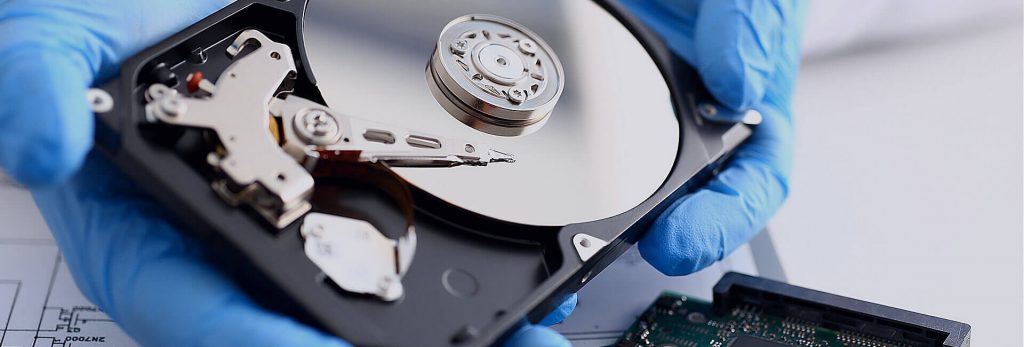
If the damage is beyond your ability to repair, or if you’re concerned about making things worse, the best option is to seek out professional services. A laboratory specializing in storage media repair and data recovery will have the necessary equipment and expertise to attempt recovery.
However, it’s important to note that even professional services have their limitations:
-
Repairability: Not all memory card issues are repairable, especially when dealing with internal component failures or severe mechanical damage.
-
Data Recovery Success: Data recovery isn’t always guaranteed. Even if the recovery service attempts to fix the card, there is no guarantee they will be able to retrieve your lost data.
-
Cost: Professional data recovery services can be expensive. You’ll typically be charged for the diagnosis, repair, and data recovery attempts, even if the recovery is unsuccessful.
Despite these drawbacks, when the data is critical and no other options exist, professional recovery services can provide the best chance of data restoration.
Data Recovery Software: A More Affordable Option
For less severe cases or when you’re looking for a more cost-effective solution, data recovery software may be your best option. Many recovery tools are designed to restore lost or corrupted data from SD cards, including those that have been damaged due to corruption or accidental formatting.
Some of the most popular data recovery programs include:
-
Recuva: This free tool is great for basic recovery tasks, such as recovering deleted photos, videos, and documents from your SD card.
-
EaseUS Data Recovery Wizard: This software offers a more advanced set of tools for recovering lost data, including from formatted or corrupted cards.
-
Disk Drill: Known for its user-friendly interface, Disk Drill offers a comprehensive set of tools to recover data from SD cards and other storage devices.
These programs are designed to work on damaged or corrupted SD cards, and they can often retrieve data that has been lost due to logical issues (such as file corruption or accidental deletion).
How to Use Data Recovery Software
Using data recovery software is typically a straightforward process:
-
Install the software: Download and install a reputable data recovery tool on your computer.
-
Connect the SD card: Insert the damaged SD card into your computer using a card reader.
-
Scan the card: Launch the software and begin scanning the SD card for recoverable files.
-
Recover the files: Once the scan is complete, preview the files and select the ones you wish to recover. Save them to a different storage location to avoid overwriting any data on the damaged card.
Conclusion
Memory card failures are frustrating, especially when critical data is at stake. However, many issues can be resolved with the right approach. Whether you attempt to fix the card yourself, use data recovery software, or seek professional help, there are ways to recover your lost data.
Remember, prevention is key—always safely eject memory cards, avoid physical damage, and back up important data regularly. If your memory card is severely damaged, and the data is crucial, professional recovery services may be the best choice. However, if the problem is less severe, data recovery software can often provide a more affordable solution to restoring your lost files.